Since the last update, we have focused on the point when a lesson is almost ready for class.
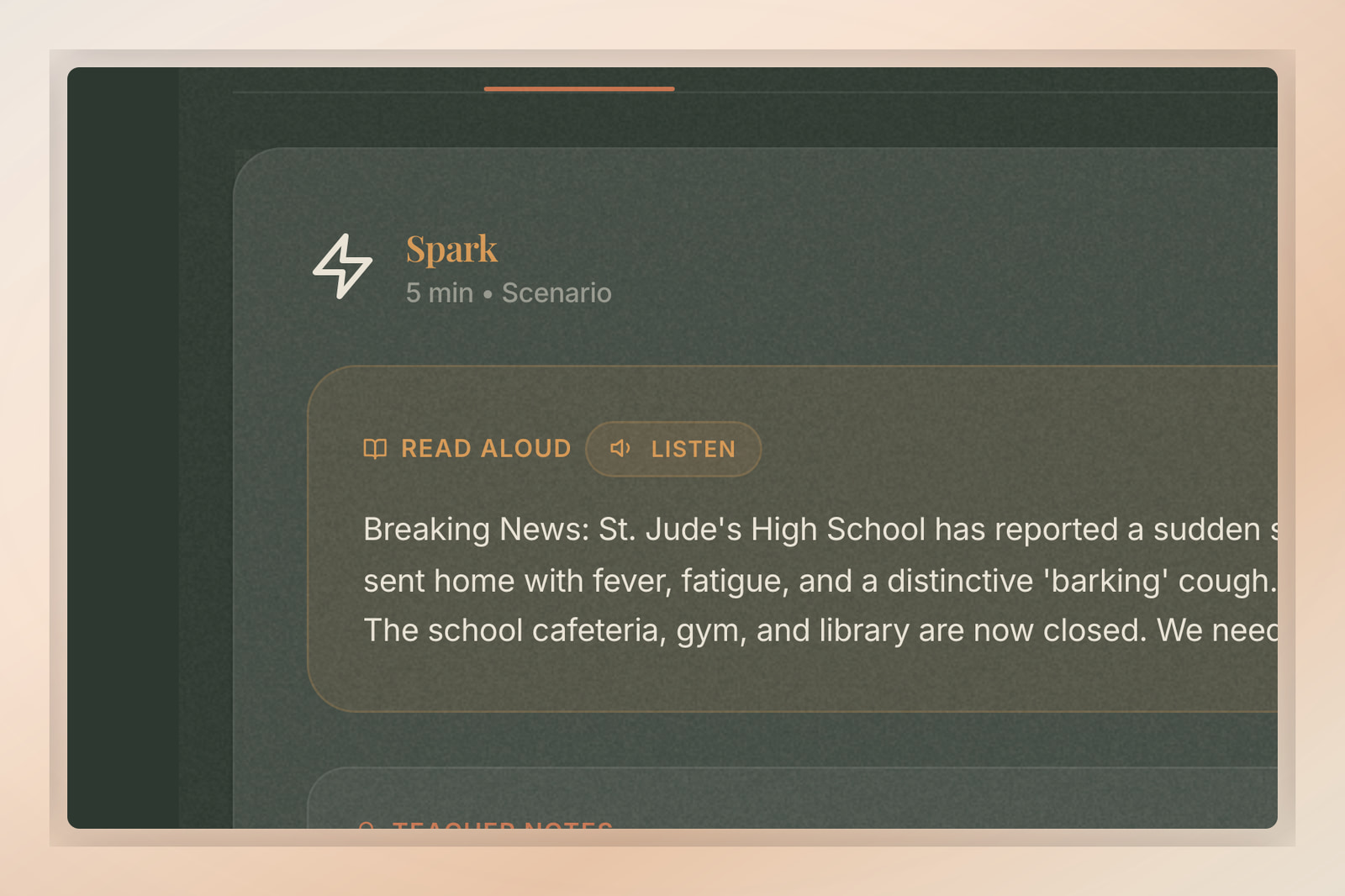
The biggest piece is mission PDFs. They now arrive complete, with the right images and layouts, instead of occasionally landing as a half-finished handout. Alongside that, the places teachers start a lesson are cleaner, audio narration in the Spark part of each mission is steadier, and support points you to the right next step instead of leaving you to guess.
Cleaner places to start
We refreshed the places teachers use to find or return to a lesson: the home page, curriculum pages, methodology pages, templates, gallery, dashboard, and mission pages.
Moving from subject, grade, and topic into a classroom activity should now feel cleaner. The practical pieces of each mission sit closer to the activity, so you spend less time hunting for the next handout, template, or teaching move.
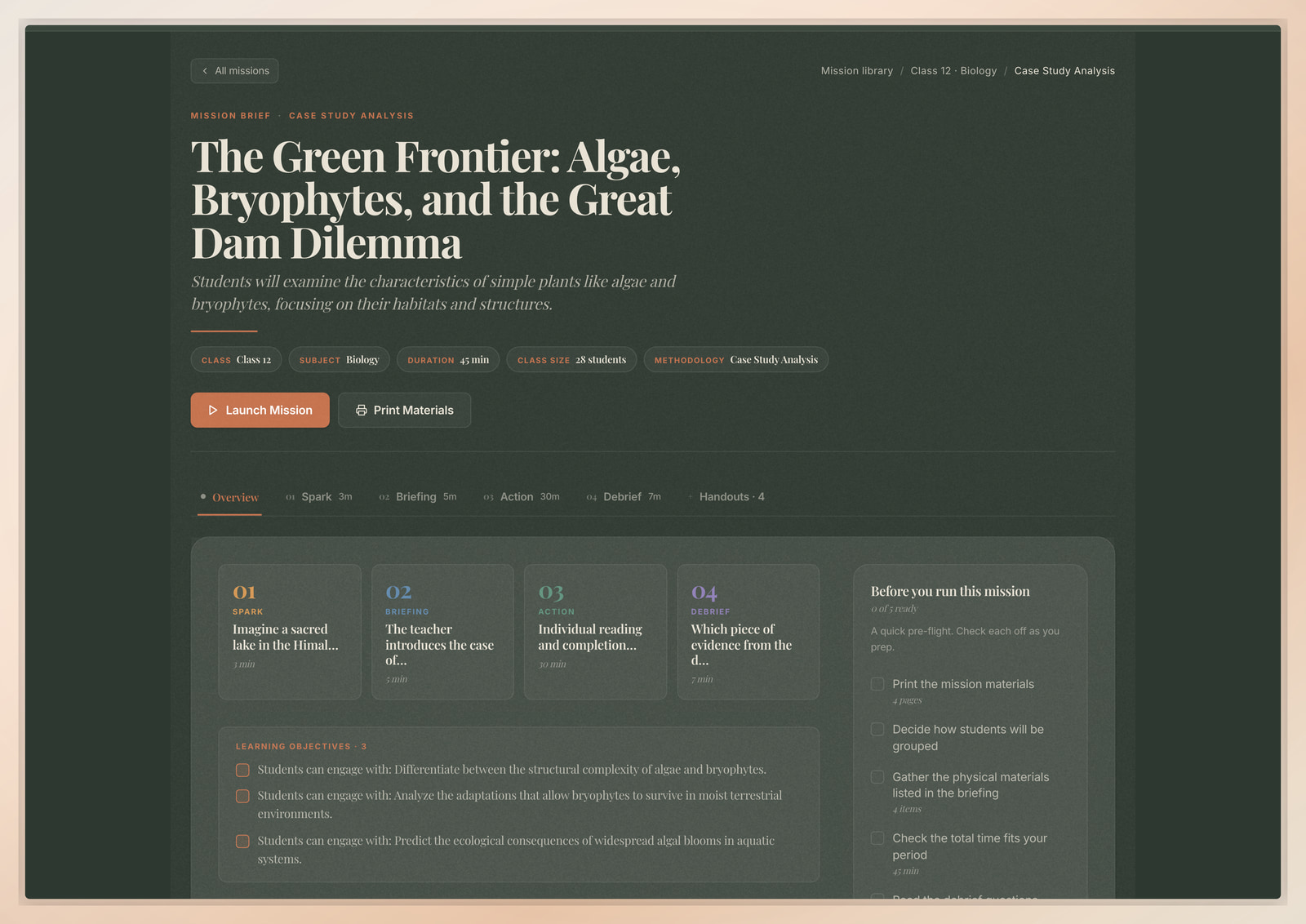
Mission PDFs that arrive complete
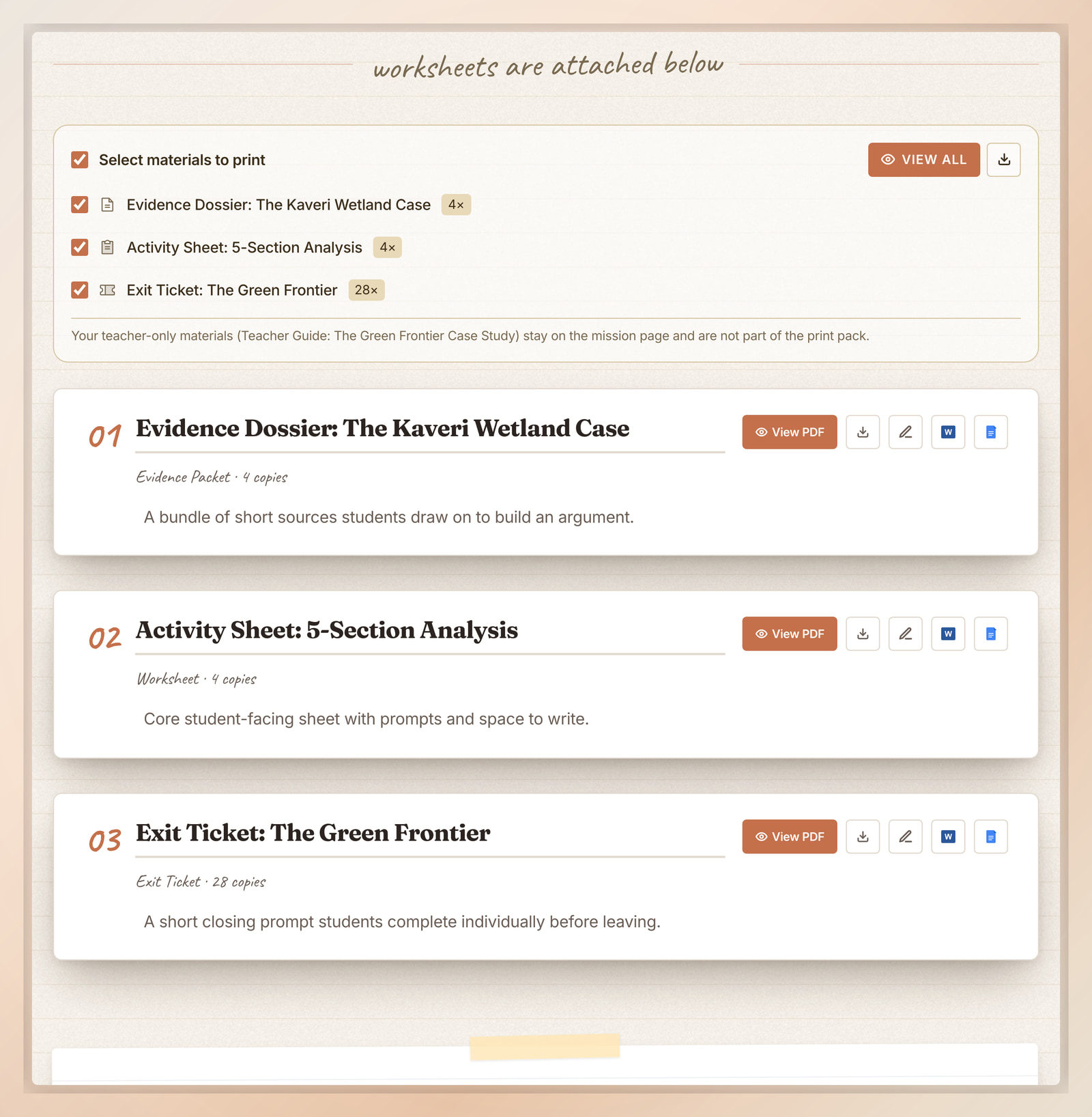
This is the biggest change in the release. Mission PDFs and printable handouts now download whole, with every image, cover, and section in place. The previous behaviour, where a handout could occasionally come back missing visuals, is gone.
The materials also look more like classroom materials. Cover images are stronger, typography is cleaner, and the student handout layouts have been redrawn so they read well on the page and on the photocopier.
Print all is more useful alongside that. When you use it, the lesson and the student materials are bundled together in one download, so you can prepare everything your class needs in one step and print the right number of copies.
Each handout also exports straight to Word or Google Docs from the same panel, so you can drop it into the editor you already use and tweak it before printing.
File names, fonts, and downloads are steadier too. The practical effect is that what you click is what your class gets, every time.
Clearer help while preparing a lesson
The Spark narration in each mission sounds noticeably better. We have upgraded the underlying voice model, so the read-aloud is steadier across every language, and the tone now adapts to the mission's age band: warmer and slower for junior classes, more matter-of-fact for senior classes.
Flo's help has also been tightened. When a PDF, account step, or plan question gets in the way, Flo is better at pointing you to the right part of Flip Education instead of leaving you to guess.
More improvements are on the way. If anything here surprises you in class, tell Flo or write to us. What teachers run into is what we work on next.